

BrightEye Mitto Scan Converters
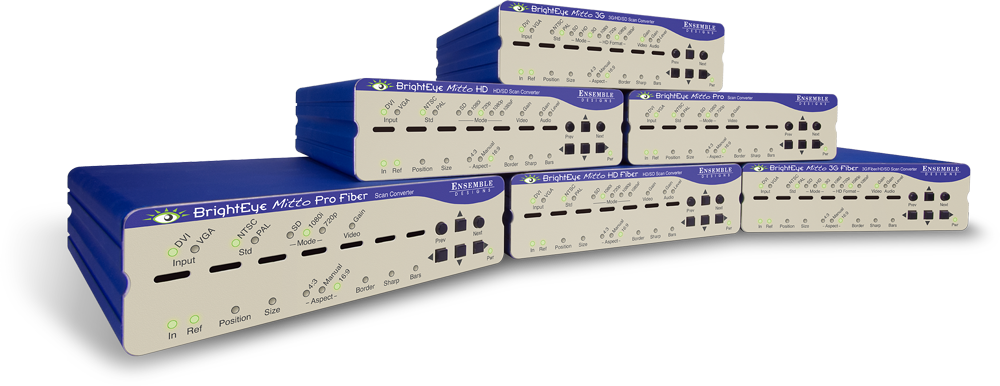
- High Performance Scan Converter for PC and Mac
- Best way to bring YouTube™, Skype™, Weather Radar, Maps and Emails to Video for Production Use
- Superior Quality– Proprietary Scaling and Filtering System Provides Maximum Detail, Flicker-Free Video Output
- Use with all Types of Macs and PCs including Laptops, iPhone® and iPad™
- Intuitive Front Panel Controls
- Output Choices: 1.5 and 3 Gb/s HD, SD SDI, Composite Video, Fiber Optic
- DVI I/O, VGA and HDMI Support with an Adapter
- Auto senses DVI or VGA
- Choose a Mitto with Adjustable Audio Delay for Skype and Broadcast Applications
- Use a Mouse to Select the Part of the Video You Want to Output
- Easily Adjust Video Parameters and Select Video Output Format
- Support for HDCP Encrypted Content Available
- Genlock and Time to House Reference, Fully Timeable
- Rackmountable
- Memory Presets for Your Favorite Settings
- 5-Year Warranty and Free Software Upgrades
Description
Uncompromised Images, Intuitive Control, and a Great Price
Use BrightEye Mitto™ Scan Converters to deliver DVI, HDMI, and VGA sources to 3G, HD and SD SDI video resolutions. Ensemble Designs’ proprietary scaling and filtering technology ensures that Mitto always produces a pristine, detailed video output. Even the most demanding CGI material is faithfully rendered to television. Eight different models offer great feature choices and competitive pricing.
YouTube and Skype Video Made Easy
Take just about any source to 3G, HD or SD SDI video. Computer video can now be used for the most demanding applications including broadcast, high-end military, medical, classroom, church and corporate. Just a small part of the screen, such as a Skype window, can be selected with a mouse and converted to full screen HD. Mitto delivers the best looking video – compare Mitto to any other scan converter and see the difference!
Choose the Functionality You Need
Choose the best combination of features and price for your application. Eight different Mitto units offer varying types of outputs and capabilities. All Mitto units accept VGA, DVI and HDMI input signals from PC and Mac computers.
HDCP encrypted content supported on -H models.
| Name | BrightEye Mitto 3G | BrightEye Mitto 3G Fiber | BrightEye Mitto HD | BrightEye Mitto HD Fiber | BrightEye Mitto Pro2 | BrightEye Mitto Pro2 HDCP |
|---|---|---|---|---|---|---|
| Model Number | BEM-1 BEM-1-H |
BEM-1F | BEM-2 BEM-2-H |
BEM-2F | BEM-4 | BEM-4-H |
| DVI, VGA, or HDMI Input | X | X | X | X | X | X |
| HD or SD Video Outputs | X | X | X | X | X | X |
| 3 Gb/s Video Outputs | X | X | ||||
| Optical Output | X | X | ||||
| HDCP | X | X | X | |||
| Analog or Embedded Audio Input | X | X | X | X | X | X |
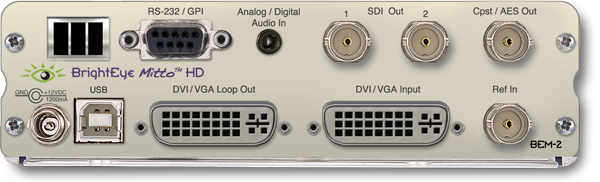
| AES Audio Input and Output | X | X | X | X | ||
| Full Control of Audio Levels, Channel Mixing |
X | X | X | X | ||
| Adjustable Audio Delay | X | X | X | X | ||
| RS-232/GPI Control | X | X | X | X |
BrightEye Mac and PC Software
Using BrightEye control software, you can easily time BrightEye Mitto into a video production switcher or router. From your desktop, you have complete and intuitive control of video format, video levels, output timing, mixing audio channels, and audio delay.
Pristine, Detailed Video Output
A superior quality scan converter, BrightEye Mitto has the advantage of proprietary scaling technology and exclusive multi-tap filtering. Even a small part of the computer screen, such as a YouTube video, will be upconverted to full screen HD. The region selected for output determines if Mitto acts as an up converter or downconverter. The output looks as good, or better, than the original and passes the most stringent testing.
Easy To Use
BrightEye PC/Mac software runs overtop of any video,
website or software. The Selection Tool displays as a colored box around your selection, showing the portion of the video that will be output from BrightEye Mitto.
Use Your Mouse To Select What is Output to Video
Use your mouse to click and drag over the specific portion of computer video that you want to output. The perspective of seeing the whole screen relative to your selection gives you the ability to choose exactly which portion of the video you want to scan convert for output. Resize the selection window by clicking and dragging with your mouse. Mitto’s video output automatically goes to pillarbox or letterbox as needed. Mitto automatically maintains perfect aspect ratio.
Digital and Analog Video and Audio
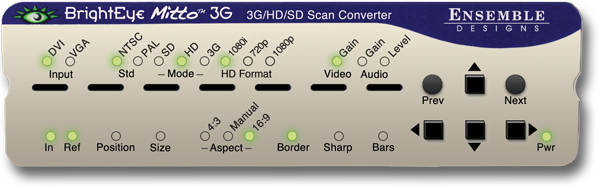
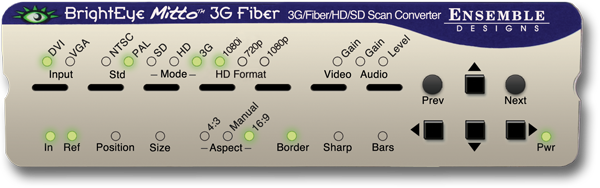
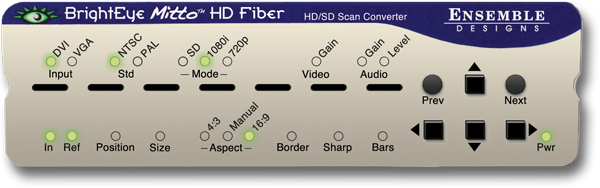
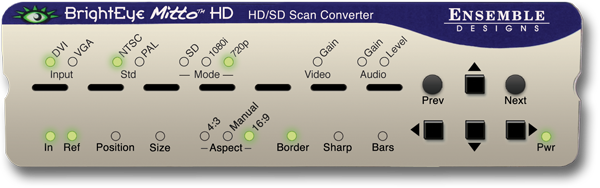
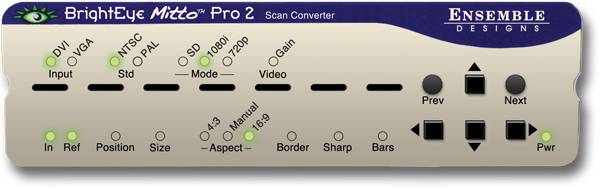
The intuitive front panel interface makes it easy to choose the desired video output format. The genlock reference input allows the video outputs to be timed to house.
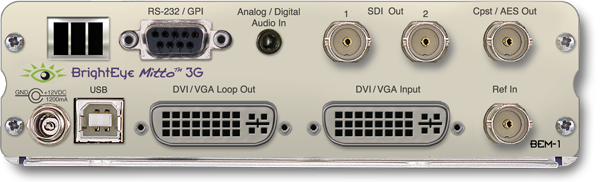
The audio input accepts analog audio. AES is optional. Audio is embedded into the SDI outputs – which is required for many high end applications. Audio delay controls let you adjust the audio timing with respect to video for perfect lip sync, which is crucial when using Skype video in a production environment.
Eight different models with a feature set and price to meet any need
BrightEye Mitto 3G – BEM-1
BrightEye Mitto 3G with HDCP – BEM-1-H
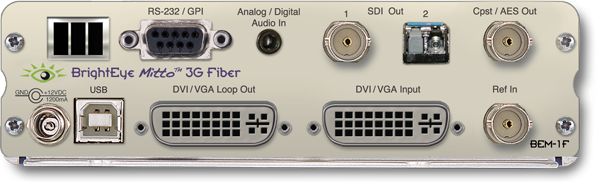
BrightEye Mitto 3G Fiber – BEM-1F
BrightEye Mitto HD – BEM-2
BrightEye Mitto HD with HDCP – BEM-2-H
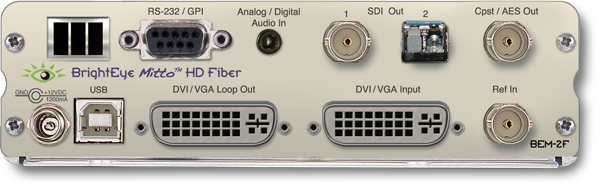
BrightEye Mitto HD Fiber – BEM-2F
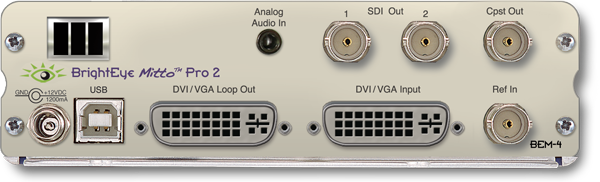
BrightEye Mitto Pro 2 – BEM-4
BrightEye Mitto Pro 2 with HDCP – BEM-4-H
Click here for a scan converter case study
More…Downloads
-

-

- Improved connection reliability, especially with older BrightEye devices.
- Fixes issue with recalling saved settings on units with memory registers.
- You can now set string controls to “”, which allows you to properly remove a feature license.
- Fixes several crashes related to connecting and disconnecting BrightEye devices.
- Other small fixes and enhancements.
-
- Built for Intel x86 64-bit.
- Compatible with macOS Ventura.
- Compatible with Apple Silicon Macs (via emulation).
-
-
For software version 1.2.21
-
For software version 1.2.21
Specifications
Computer Input
- Number One
- Type DVI (Supports HDMI or VGA with adapter)
- Connector DVI-I
- Resolution Up to 1920 × 1200
Reference Input
- Number One, BNC
- Type 1 V P-P Composite Video PAL, NTSC, Tri-Level Sync
- Impedance 75 Ω
- Return Loss >40 dB
- Note: When no reference is provided, Mitto runs from an internal "sync gen grade" precision frequency reference.
Analog Audio Inputs
- Number One stereo pair
- Connector 1/8” mini jack
- Impedance >15K Ω
- Max Input Level 24 dBu
- Quantization 24 bits, 128 x oversampled
- Sample Rate 48 KHz
- Reference Level -10 dBu or +4 dBu
- Frequency Response ±0.1 dB, 20 Hz to 20 KHz
- Crosstalk <106 dB
- Dynamic Range >106 dB
AES/EBU Digital Inputs (BEM-1, 1F, 2, 2F)
- Number Two (four channels)
- Type AES3id, S/PDIF
- Connector 1/8” mini jack
- Bit Depth 20 and 24 Bit
- Sample Rate 30 KHz to 192 KHz (Sample Rate Converted Internally to 48 KHz)
Serial Digital Output
- Number Two, BNC. One for BEM-1F and 2F
- Signal Type 270 Mb/s SD SDI, SMPTE 259M 1.485 Gb/s HD SDI,SMPTE 274M, 292M, 296M 2.97 Gb/s HD SDI (BEM-1 and BEM-1F only) SMPTE 424M, 425M
- Processing 16 bit processing, 12 and 14 bit upconversion
- Delay Adjustable from 16 msec to 40 msec
- Note: Output is fully timeable with respect to the reference input.
- Audio Embedded
- Impedance 75 Ω
- Return Loss >15 dB to 1.485 GHz, >10 dB to 2.97 GHz
- Output DC None (AC coupled)
Standards Supported:
- 1080i (SMPTE 274M -4,5,6) 50, 59.94 or 60 Hz
- 720p (SMPTE 296M -1,2,3) 50, 59.94 or 60 Hz
- 525i, 625i (SMPTE 259M)
- 1080p (SMPTE 424M, 425M), 50, 59.94, 60, Level A (BEM-1 and BEM-1F only)
Optical Output (BEM-1F, 2F):
- Number One, LC/UPC
- Type Follows SDI configuration
- Wavelength 1310 nm (non-CWDM) Wavelengths 170 nm –1610 nm at 20 nm CWDM spacing available. Call factory for price and details.
- Power -7 dBm
- Max Cable Length 20 km (For greater distances, or higher power and larger loss budgets, please contact the factory)
- Fiber Type Single Mode Multi-mode compatible with attenuation at transmit end
Analog Video Output:
- Number One, BNC
- Type Composite PAL or NTSC (when SD is selected on the SDI output)
- Return Loss >40 dB
- Output DC <100 mV
Computer Monitor Output
- Number One, looping
- Type DVI (Supports HDMI or VGA with adapter)
- Connector DVI-I
- Format Follows input
Control (BEM-1, 1F, 2, 2F)
- Number One
- Connector 9 pin D
- Type RS-232, GPI
General Specifications
- Size 5.63” W x 0.8” H x 5.98” D (143 mm x 21 mm x 152 mm) including connectors and flange connectors
- Weight 1 lb 6 oz
- Power 12 volts, 12 watts (100-230 VAC modular power supply)
- Temperature Range 0 to 40° C ambient (all specs met)
- Relative Humidity 0 to 95° non-condensing
- Altitude 0 to 10,000 ft.